
When we take on client portal development, we are really building three things that work as one. The first is identity: accounts, sign-in, password resets that actually arrive, and — where the data warrants it — two-factor authentication. The second is roles: an administrator, a committee reviewer, a client, and a member are not the same person, and the software should never forget that. The third is ownership: every record in the system belongs to someone, and the portal enforces who may see it, who may change it, and who merely gets a copy.
When those three layers are built properly, something quietly changes in how an organization runs. Documents stop traveling by attachment. The current version of anything is wherever the login says it is. And the question “who changed this?” always has an answer, because a real portal writes down who did what, and when.
The Jobs a Portal Does
Customer portal development means different things to different organizations, but the underlying jobs repeat. Here are the ones we build most, each drawn from work that is live right now:
Review & approval
A committee evaluates submissions — applications, award nominations, membership candidates — without a spreadsheet making the rounds by email. Each reviewer signs in, sees their assigned items, and scores against your criteria. The tallying happens where tallying belongs: in the database. The full story of one of these is below.
Client status & documents
Your clients want to know where things stand without calling to ask. A client portal shows each of them their matters, their documents, and their next steps — theirs alone. We built a lead-operations dashboard on this exact foundation for the Law Office of Phillip W. Goff in Texas: staff sign in, see the pipeline, and every action is stamped with who took it.
Member self-service
Members join, renew, update their own records, and reach member-only content — without anyone retyping a form into a database. The member accounts inside our POP Members platform do precisely this for membership organizations every day.
Internal operations
Sometimes the “client” is your own board or staff: a finance manager, a records system, a reporting dashboard. The mechanics are identical — identity, roles, ownership — pointed inward.
Build or Buy? The Honest Answer
Not every organization should commission a portal, and this is the section where we tell you so.
If your members fit a standard membership mold, platforms like Wild Apricot include a serviceable member area, and we have written an honest guide about exactly when that is enough. If your clients just need to receive files securely, a shared drive with sane permissions costs almost nothing. If a tool you already pay for — your practice management system, your bookkeeping software — includes a client view, try it before replacing it. We do not have an agenda here, and we are not trying to push custom work for business reasons.
Custom portal development earns its cost in one situation: when the process is yours. When the review workflow, the scoring criteria, the approval chain, or the member journey is specific to how your organization operates — and every off-the-shelf portal makes you operate like someone else — that is the line. Most of our portal clients arrive having already bent themselves around someone’s software for years. The portal is the moment they stop.
What “Secure” Means When We Say It
Portals hold exactly the data people most want protected, so security is not a feature of our portal work; it is the medium the work happens in. Concretely, and in plain language: every role sees the minimum it needs — an administrator’s view and a reviewer’s view are different because the software enforces it, not because everyone promises to behave. Uploaded files live outside the web-accessible directory and are served only through the login, so there is no guessable address to a private document. Passwords are hashed, sessions expire, forms are protected against forgery, and the audit trail records actions with the actor’s name attached. Two-factor authentication is available where the sensitivity warrants it.
None of this is exotic. It is simply the difference between portal development done as a discipline and a password slapped on a folder.
How Portal Engagements Work
Portal projects at POP are fixed-estimate and bounded, like everything we build. We start with a short conversation about your process — who signs in, what each role needs to see, where the data lives today. You get a written scope with edges, a fixed estimate, and a working preview in weeks, not months. The first version is deliberately the smallest one that does the job; portals grow best by adding a role or a workflow at a time, after real people have used what exists.
And in the spirit of the honesty section above: if that first conversation reveals that a platform you already own can do this, we will say so, and the conversation will have cost you fifteen minutes.
Questions We Actually Get
- What does client portal development cost?
- A fixed quote after a short conversation — the honest variables are the number of user roles, the systems the portal must talk to, and how much of your workflow is genuinely unique. A bounded first version is the least expensive thing we build and the one we most often recommend.
- How long does a portal take to build?
- A working preview in weeks. The nominations portal described below went from conversation to committee members signing in inside a normal season, not a fiscal year.
- Can a portal connect to the tools we already use?
- Yes — that is usually the point. Portals we run today talk to payment processors, practice management systems, and email platforms, so data entered once lands everywhere it belongs.
- Can it live on our existing website?
- Yes. A portal can run on your current domain — often as its own secure address like portal.yourorganization.org — without disturbing the public site. Your visitors see one organization; the machinery stays separate.
- We’re a membership organization — custom portal or membership software?
- Ask us and we will tell you honestly, including when the answer is a platform rather than custom work. We wrote a full guide on that decision for Wild Apricot specifically, and our own POP Members platform exists because sometimes the answer is in between.
- Who maintains it after launch?
- We do, under the same care arrangement described on our maintenance page — monitoring, updates, backups verified by restore, and a developer who already knows the code.
From Inbox to Portal: The IWF Chicago Nominations System
The International Women’s Forum Chicago admits new members through a nominations process — candidates proposed, materials gathered, and a committee that evaluates each one. For years the mechanics of that process lived where such things usually live: in email threads and spreadsheets, with the administrator assembling packets by hand and reviewers replying with their assessments in whatever format the morning allowed.
We built them a portal, and the shape of it is the shape of everything this page describes.
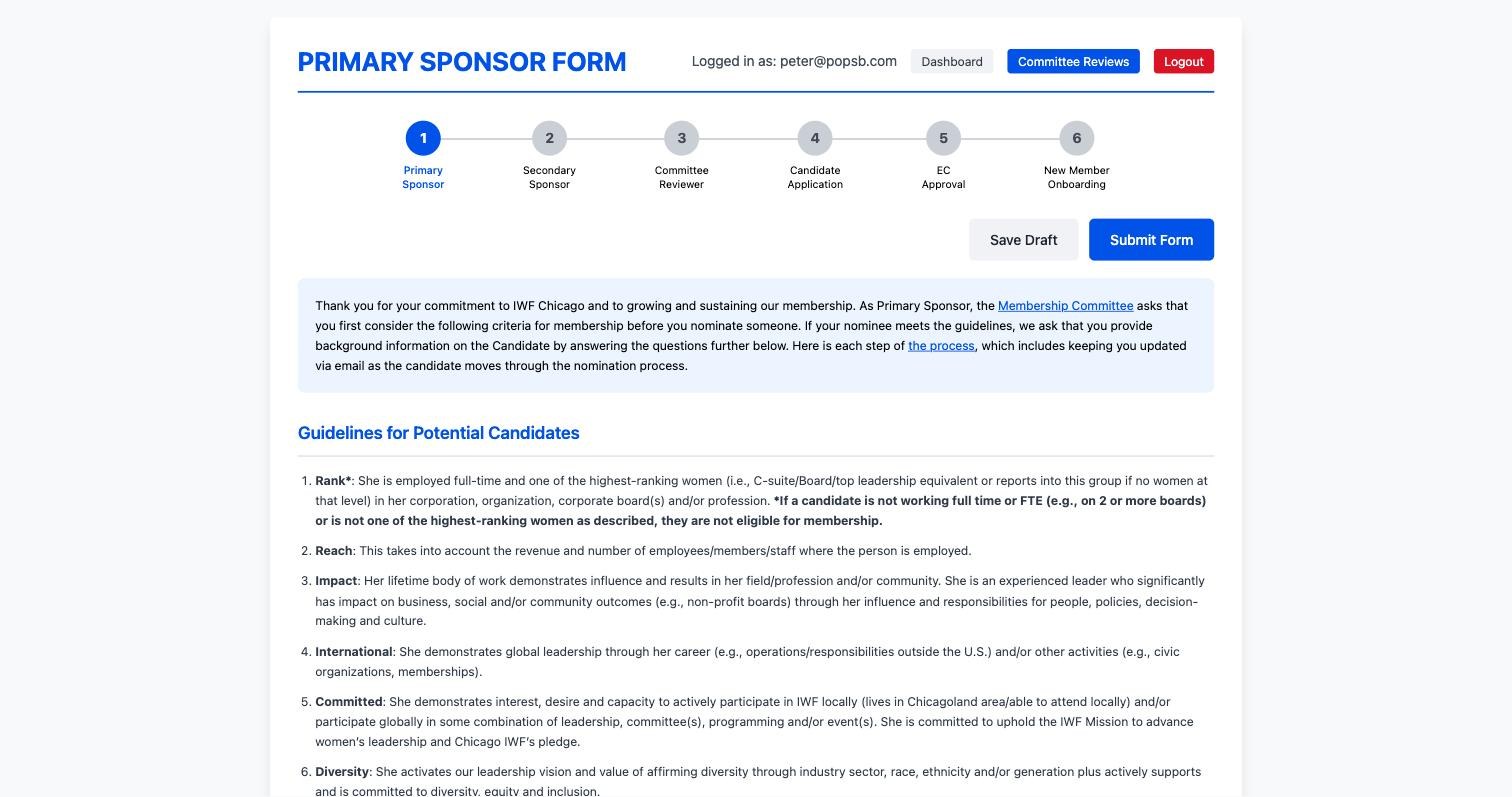
Nominators sign in and submit candidates through structured forms, so every nomination arrives complete — the portal will not accept one that is not.
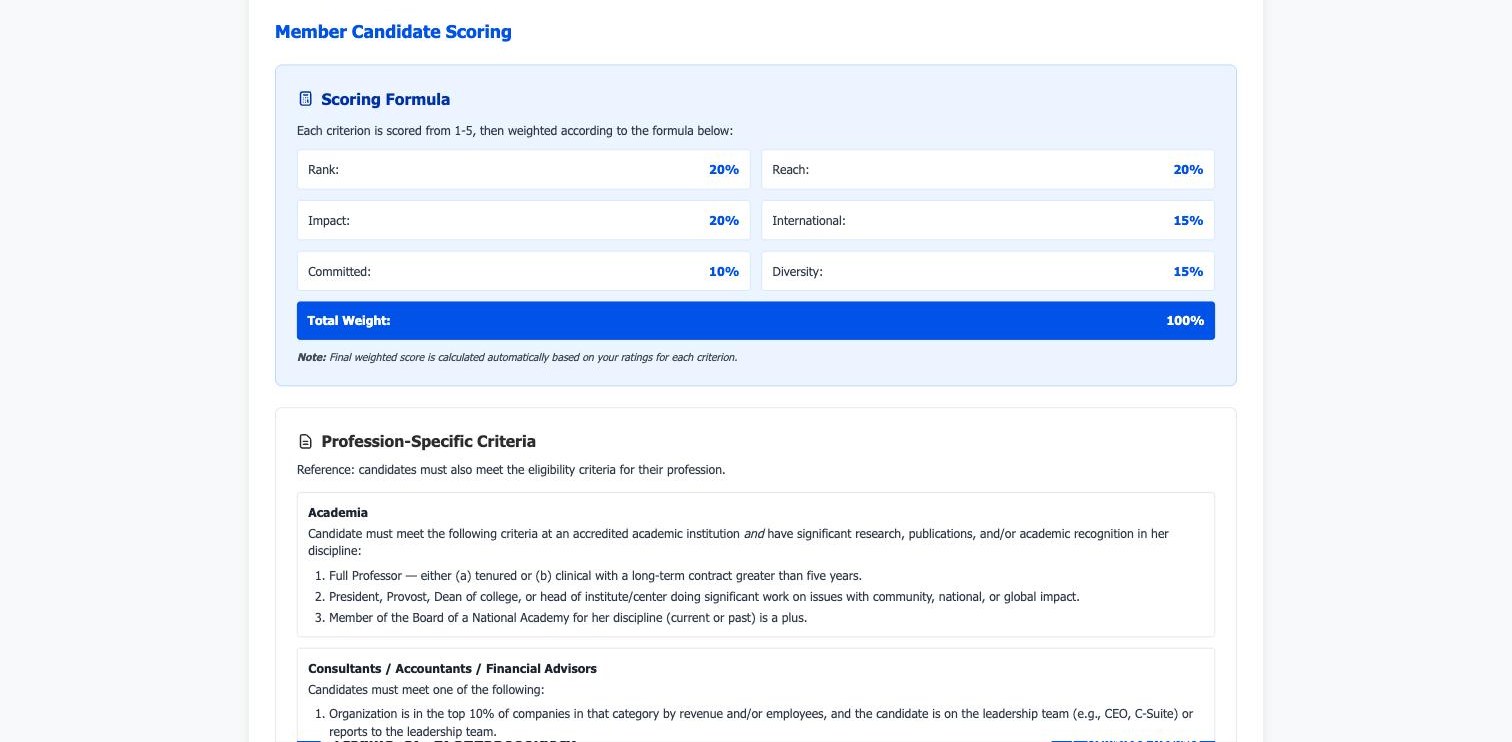
Committee members have their own reviewer role: they sign in, see the candidates assigned to them, and score each one against the Forum’s six weighted criteria. The weighting math — once a spreadsheet formula that one person understood — now runs in the database, identically, every time.
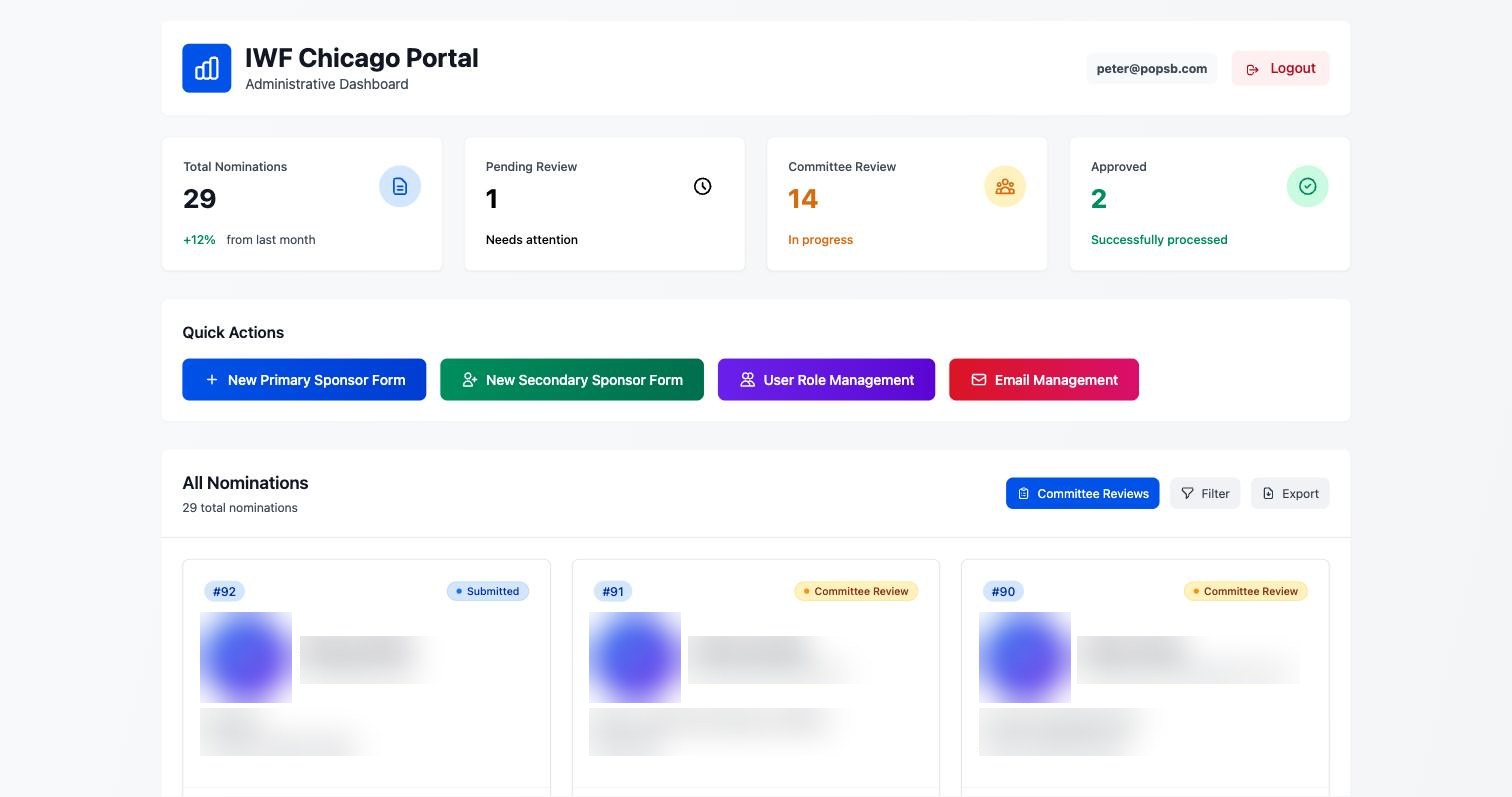
A live dashboard shows every candidate’s status — who has reviewed, who has not, how each candidate stands — and the administrator can submit materials on a nominator’s behalf when the human situation calls for it, with the portal recording that it happened that way.
The outcome is easy to state: during a nominations cycle, no spreadsheet changes hands. The committee’s attention goes to candidates, not to collation. And when the cycle ends, the record of what happened — who reviewed, who scored what, when — is simply there, permanent and answerable.
The Login That Means Something
The portal conversation starts the way every POP engagement starts: fifteen minutes, your process described in your words, and a straight answer about whether custom is even the right move.
Start the conversation